
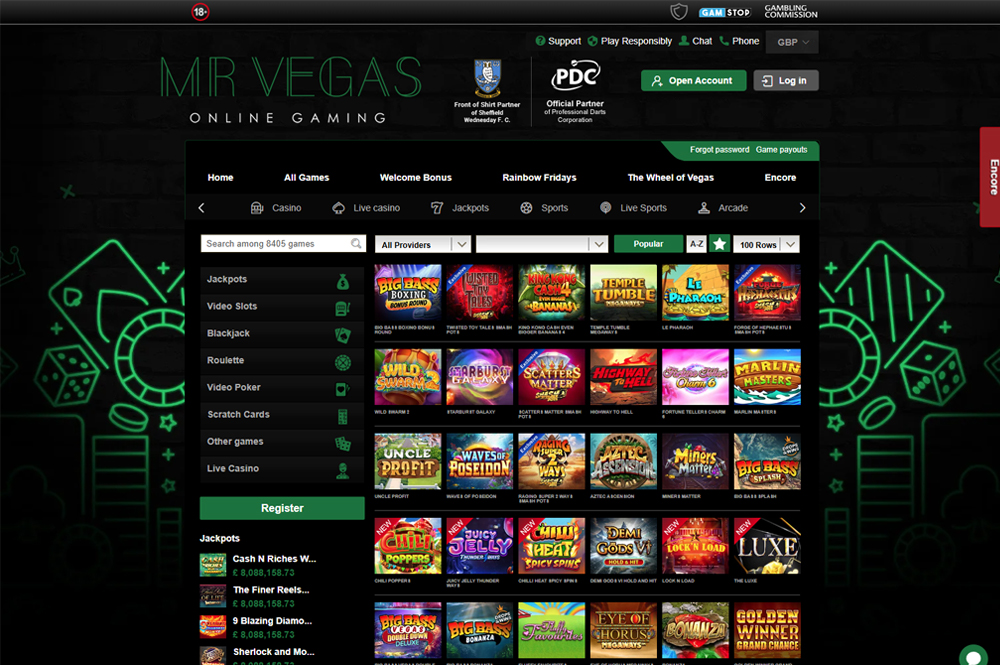
Establishing your Mr Vegas Casino account from Norway is a simple process built with both convenience and regulatory compliance in mind. We have crafted the registration flow to accommodate Norwegian payment preferences while conforming to international licensing standards. When you visit the login page, you will notice that the interface instantly adapts to Norwegian language preferences, showing all critical legal information in Bokmål before you commit any personal details. This initial transparency is purposeful. We want for you to understand clearly which documents you will need, how long verification normally takes, and what deposit methods are available with Norwegian kroner support. Before you commence, ensure you have your BankID or a valid passport prepared, a stable internet connection, and a payment card or bank account that facilitates online transactions. The entire sign-up sequence hardly ever exceeds five minutes, but the verification step can take up to twenty-four hours during peak periods. We recommend finalizing registration during weekday business hours if you desire near-instant account activation.
Organizing Your Norwegian Identity Documents
Norwegian financial regulations and our own Know Your Customer protocols necessitate specific identity documents that must be valid and clearly legible. We accept Norwegian passports, national identity cards with the electronic chip symbol, and driving licenses issued after the 2018 format change. The document you pick must show your full legal name matching exactly what you type into the registration form. Even a minor discrepancy between your submitted name and the name on your document will trigger a manual review, increasing hours to your verification time. We also require the document to display your current residential address in Norway. If your driving license does not show your address, you will need to add it with a recent utility bill or a bank statement from a Norwegian financial institution. The utility bill must be dated within the last three months and clearly display the issuer’s logo, your name, and your address. Digital copies from online banking portals are valid as long as the PDF contains the bank’s official stamp or digital signature metadata. We strongly recommend against photographing a physical document with your phone unless you have excellent lighting and can capture all four corners without blur. A flatbed scanner or a dedicated document scanning application on your smartphone produces far better results and minimizes the likelihood of rejection.
Step-by-Step Account Registration on the Login Page
When you arrive at the Mr Vegas Casino login page, you will find a clearly marked button labeled “Create Account” positioned directly beside the existing user login fields. Clicking this button starts the multi-step registration wizard without taking you away from the secure session. The first screen asks for your email address and a strong password. We mandate a minimum twelve-character password that must have at least one uppercase letter, one lowercase letter, one numeric digit, and one special character from the allowed set. The system evaluates password strength in real time and displays a color-coded indicator beneath the input field. Once your password meets the criteria, the indicator turns green and the “Next” button becomes active. The second screen gathers your personal information: full legal name, date of birth in Norwegian format, and your mobile number including the country code. We send an SMS verification code to this number immediately. You must enter the six-digit code within ten minutes before the session expires. The third screen requires your residential address. The address field uses a predictive lookup connected to the official Norwegian address registry, so as you begin typing your street name, valid suggestions appear. Selecting from these suggestions reduces formatting errors that could later delay document verification.
Performing Your First Deposit with Norwegian Payment Methods
After verification completes, the deposit section becomes fully accessible from the cashier page linked in the top navigation bar. We support a variety of payment methods designed to Norwegian banking habits. Visa and Mastercard debit cards issued by Norwegian banks are approved instantly, with deposits reflecting in your casino balance within seconds. The card must allow online transactions and must not be a Maestro-only or Electron-only variant. Trustly is our preferred method for Norwegian users who favor direct bank transfers without sharing card details. Trustly integrates with most major Norwegian banks, such as DNB, Nordea, and Sparebanken, and uses your BankID for transaction authentication. The deposit flow sends you to your standard bank login environment, where you confirm the exact amount in kroner. Trustly deposits have no additional fees from our side, and your bank handles them as standard account-to-account transfers. We also accept Apple Pay for users on Safari browsers with Touch ID or Face ID enabled devices. Apple Pay deposits are restricted at five thousand kroner per transaction due to intermediary processing limits. Irrespective of the method you pick, the minimum deposit stays one hundred kroner, and funds are accessible for play immediately upon confirmation. We do not store your full payment card number; only a tokenized representation is kept for future transactions.
Understanding the Norway’s Deposit Currency Options
Mr Vegas Casino handles deposits in Norwegian kroner as the primary currency for accounts registered from Norway. During the registration wizard, you will encounter a currency selection screen. Norwegian kroner is pre-chosen and highlighted, but you may also see options for euros or US dollars if you intend to travel or maintain a multi-currency bank account. We recommend keeping Norwegian kroner unless you have a particular reason to choose otherwise. Depositing in kroner removes currency conversion fees that your bank might otherwise apply. All deposit limits, wagering requirements, and withdrawal thresholds presented throughout the platform will then appear in kroner, giving you a straightforward and immediate comprehension of the amounts involved without mental currency conversion. The minimum deposit amount is one hundred Norwegian kroner, and the maximum per transaction differs by payment method. If you mistakenly select the wrong currency during registration, you can submit a currency change through customer support before making your first deposit. After the first deposit is handled, currency changes necessitate account closure and re-registration under a new email address, so verify this selection thoroughly before confirming.
Establishing Deposit Limits as a Controlled Gambling Tool
Norwegian gambling culture puts a strong emphasis on personal spending control, and our platform incorporates mandatory deposit limit settings directly into the first deposit flow. Before you can submit your initial deposit, the system displays a screen where you must set daily, weekly, and monthly deposit limits in Norwegian kroner. These fields cannot be left blank or set to zero. You pick the amounts that suit your entertainment budget, and the system enforces them automatically across all payment methods combined. If you attempt a deposit that would exceed any of your active limits, the transaction is declined with a clear message explaining which limit has been reached. We created this as a firm boundary rather than a soft warning. Decreasing a limit takes effect immediately, while increasing a limit requires a twenty-four-hour cooling-off period before the new higher amount becomes active. This asymmetry is deliberate and aligns with Norwegian responsible gambling principles. You can adjust your limits at any time from the account settings page, but the cooling-off rule applies consistently. Additionally, we supply a reality check timer that you can turn on during registration. The timer shows a pop-up notification after a chosen interval of continuous play, showing your session duration and net position in kroner. You must actively dismiss the pop-up to continue, creating a mandatory moment of reflection.
Enabling Two-Factor Authentication for Norwegian Users
We present two-factor authentication as an optional but vigorously suggested security layer that protects your account should your password becomes compromised. During registration, after you verify your mobile number, the system shows a screen prompting whether you want to activate two-factor authentication instantly or postpone the decision. We advise Norwegian users to enable it right away. The default method is an authenticator application such as Google Authenticator or Microsoft Authenticator, both of which are free and widely used in Norway. The setup process displays a QR code on your screen that you capture with your chosen application. Once scanned, the application produces a six-digit time-based code that refreshes every thirty seconds. You must enter the current code to verify the pairing. After effective pairing, the system offers ten single-use backup codes. We advise you to download these codes as a text file or print them and save them in a safe location separate from your primary device. These backup codes are the exclusive recovery method if you are unable to use your authenticator application. Our support team is unable to bypass two-factor authentication under any circumstances, which is exactly what makes it effective. If you later buy a new mobile phone, you will need to use one of these backup codes to authenticate and re-pair your new device.
Authenticating Your Account with Norwegian BankID and Other Options
Norwegian BankID is the quickest verification method accessible to our players https://mrvegascasino.no/login/. If you have BankID set up on your mobile device, you can finish identity verification in under two minutes without submitting any physical documents. The registration wizard identifies whether you are accessing the site from a Norwegian IP address and offers a prominent “Verify with BankID” button on the document upload screen. Selecting this button directs you to the secure BankID authentication portal, where you confirm the verification request using your personal BankID code or biometric sensor. BankID sends only a confirmation token and your legal name and address to us; we never see your BankID password or personal identification number. The entire exchange is coded end-to-end and complies with Norwegian data protection laws. If you do not have BankID, the alternate manual verification path necessitates you to upload a color scan or high-resolution photograph of your identity document and a separate proof of address document. Our compliance team reviews manual submissions in the order received. During Norwegian public holidays, review times can extend to forty-eight hours. We issue an email notification the moment verification concludes, and you can then log in and deposit without restrictions.
Typical BankID Verification Errors and How to Circumvent Them
A number of recurring issues can interrupt the BankID verification flow, and most are preventable with a quick pre-check. The most prevalent problem is an expired BankID certificate on the user’s mobile device. Norwegian banks usually issue certificates valid for two years, and many users do not notice the expiration until a service declines the authentication. Open your bank’s mobile application and check your BankID status before starting registration. If the certificate has expired, the application will direct you through renewal, which typically takes only a few minutes. Another common issue is a difference between the phone number registered with your bank and the number you entered during sign-up. BankID uses your mobile number as part of its verification chain, and if the numbers differ, the authentication fails silently. Confirm that the number you provide to us is exactly the number your bank has on file. Finally, some Norwegian mobile network operators block international premium-rate SMS by default. Although BankID does not use premium-rate messaging, certain network-level filters can interfere the authentication push notification. If you experience repeated failures, temporarily disable any third-party spam filtering applications and try verification again while connected to a stable Wi-Fi network rather than mobile data.
Comprehending Cashout Confirmation and Processing Times
Withdrawal procedures are intimately linked to the verification and payment steps you complete during sign-up, so comprehending the relationship now avoids uncertainty later. When you submit your first payout, our payment team performs a secondary check to verify that the withdrawal method aligns with the payment method you utilized. This is a legal obligation designed at preventing money laundering. If you deposited with a Visa card, your first payout must go back to that same card up to the total amount you paid with it. Any earnings exceeding that amount can be cashed out to a Norwegian bank account via Trustly or manual bank transfer. The secondary check usually concludes within twelve hours for accounts validated with BankID, and within twenty-four hours for manually verified accounts. After authorization, Trustly payouts usually get to your bank account within one business day. Card withdrawals can take between three and five business days depending on your issuing bank’s processing speed. We do not charge withdrawal fees, but your bank may impose inbound fees for international transfers if the processing entity is located outside Norway. To prevent unexpected issues, ask with your bank about their guidelines on incoming transfers from gaming operators authorized in Malta. All withdrawals above fifty thousand kroner require enhanced due diligence, which entails a brief phone call from our compliance team to validate the transaction. This call is booked at a time you choose and takes approximately five minutes.
Securing Your Account Following Registration
Account security surpasses the initial password and two-factor authentication setup. We suggest several post-registration actions that significantly harden your account against unauthorized access. First, access the account settings page and check the active sessions section. This panel lists every device and IP address currently logged into your account, along with approximate geolocation. If you notice any session you do not recognize, you can terminate it remotely with a single click. We log all session activity, and our security team reviews anomalous patterns automatically. Second, activate login notifications. When activated, the system sends an email and an SMS to your registered contact points every time a new device or browser signs into your account. The notification contains the time, IP address, and device type, allowing you to respond immediately if the login was not yours. Third, consider setting a strong unique password that you do not repeat on any other service. Norwegian users increasingly embrace password managers, and we fully support auto-fill and generation from applications like 1Password and Bitwarden. Finally, watch out for phishing attempts that copy our branding. We will never forward you an email asking for your password, two-factor authentication codes, or full payment card details. Any communication requesting such information is fraudulent and should be forwarded to our abuse team for investigation.